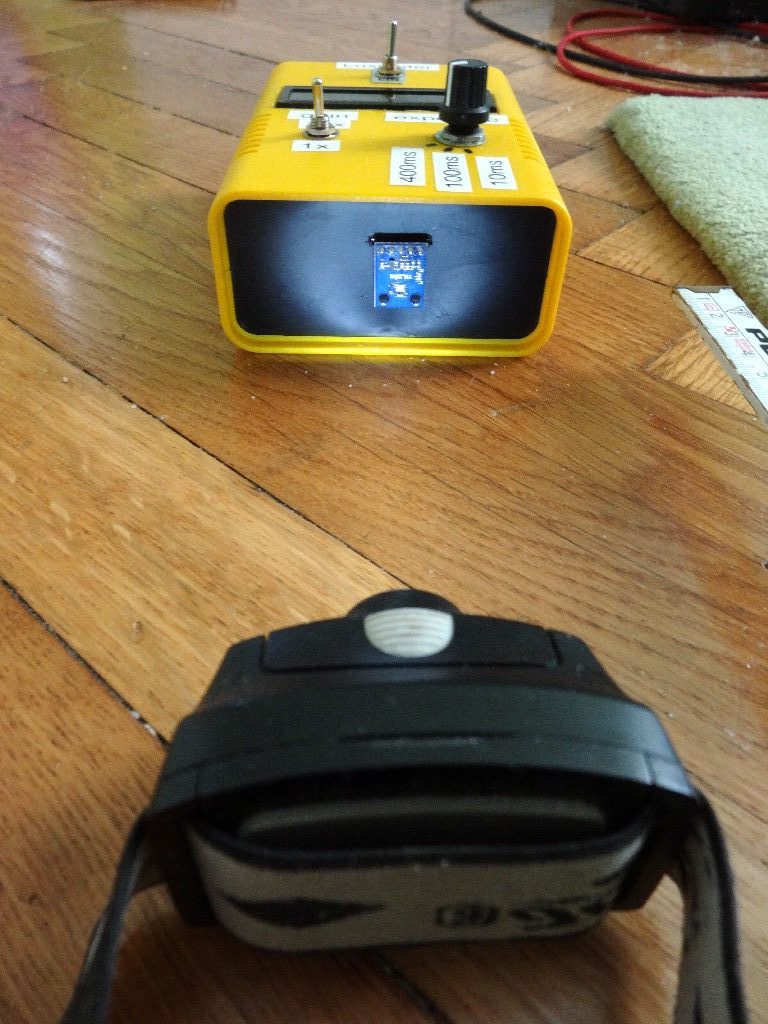
Mit dem Sensor TSL2561 lässt sich sehr einfach ein Lichtstärkenmessgerät/Helligkeitsmessgerät/Luxmeter umsetzen. Benötigt wird nur der Sensor selbst, ein Arduino, ein I2C 16×2 display, einen gewöhnlichen Ein/Aus-Schalter, einen 4×3 Drehschalter und 5 Widerstände.
Mit dem Ein/Aus-Schalter wählt man die interne Verstärkung des Signals (1x/16x) aus, mit dem 4×3 Drehschalter die Integrationszeit/Messzeit des Sensors (10ms/100ms/400ms). Damit lassen sich sowohl sehr schwache, als auch starke Lichtquellen (z.B. die Sonne) untersuchen.
Am Display ausgegeben werden
- reine Helligkeitswerte (ohne physikalische Einheit) und zwar einerseits basierend auf dem gesamten Spektralbereich (sichtbar + IR) und andererseits basierend nur auf dem Infrarot-Bereich
- die Beleuchtungsstärke (in Lux)
Während die reinen Helligkeitswerte bei gleicher Umgebung je nach Einstellung (gain, Messdauer) variieren, müsste die Beleuchtungsstärke (in Lux) bei gleichbleibenden Bedingungen natürlich unabhängig von den Einstellungen sein.


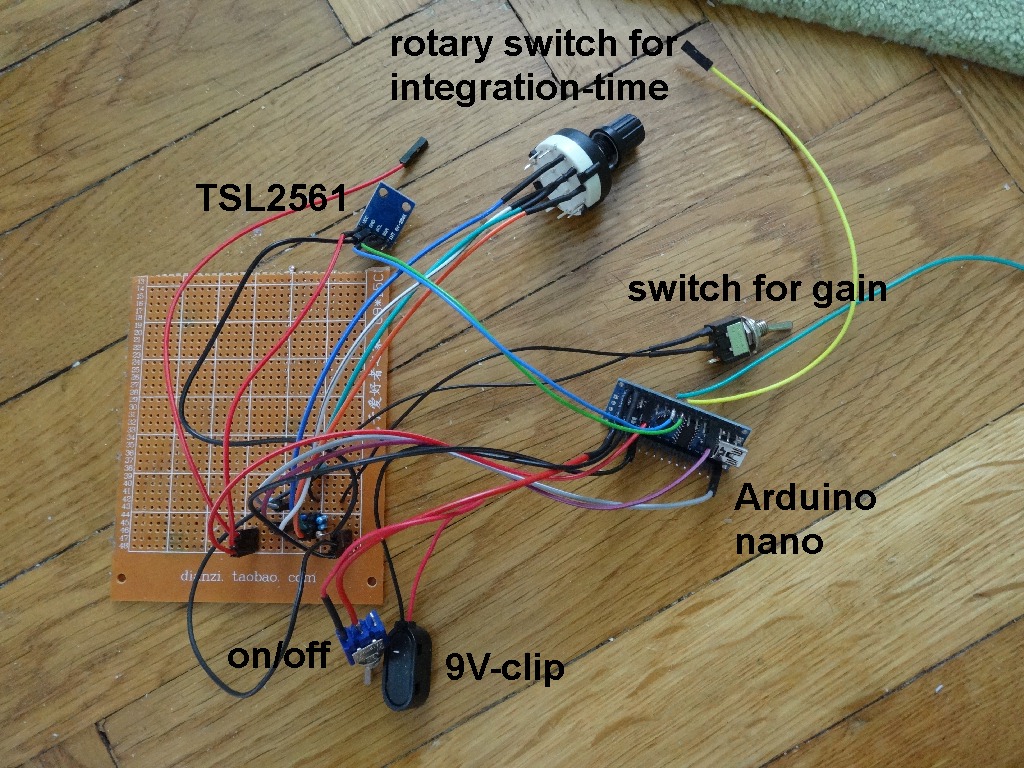


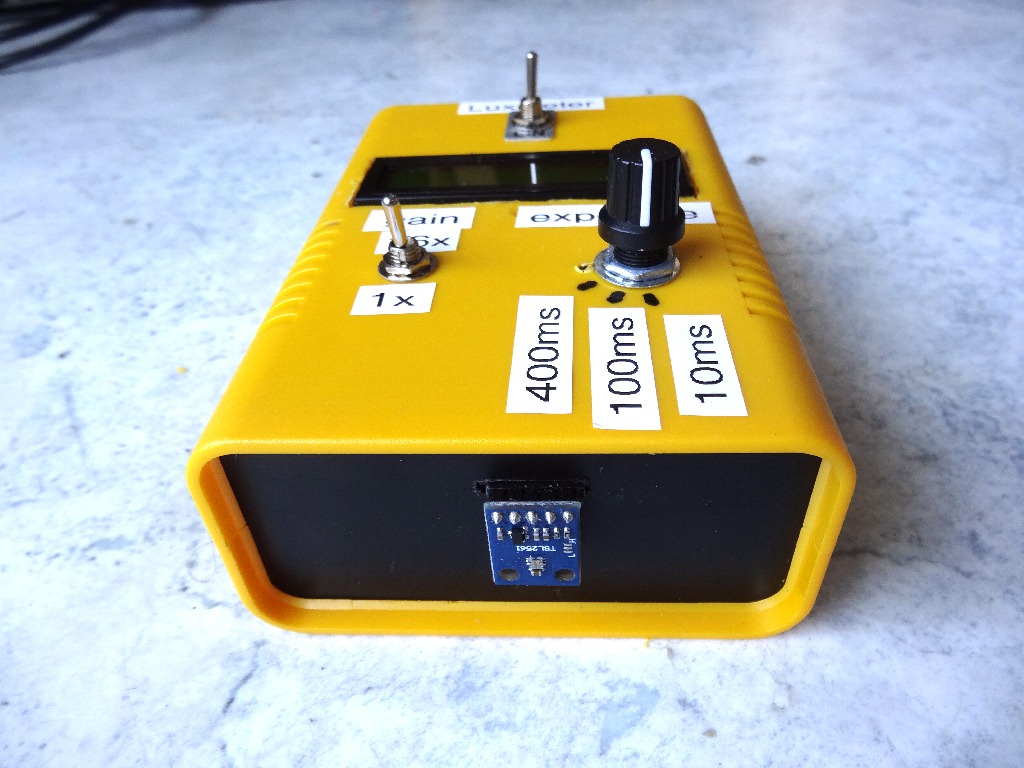
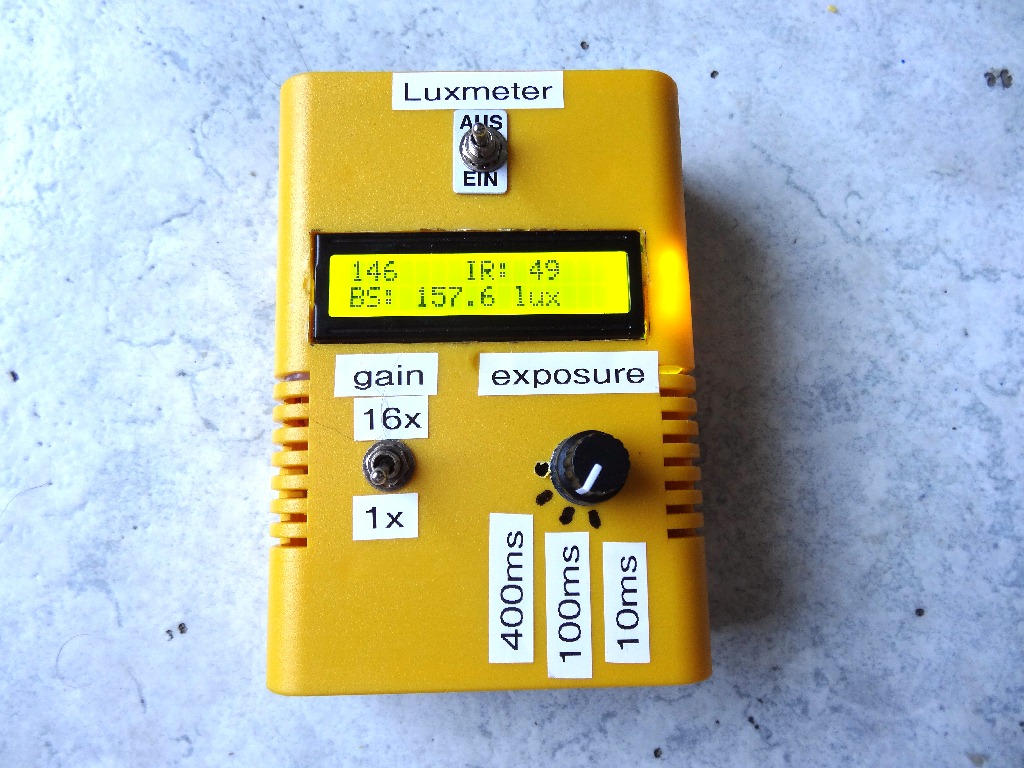
Experimente mit dem Lichtsensor:
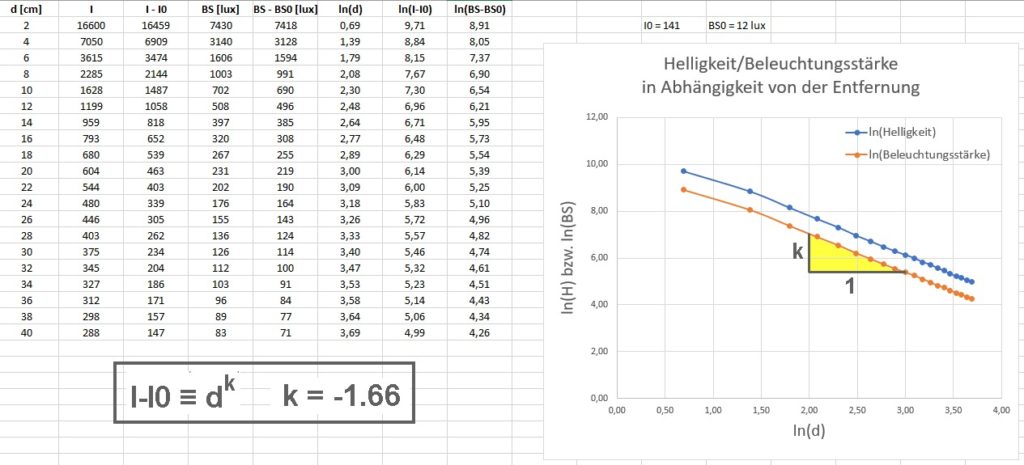
Man kann zum Beispiel die Helligkeit/Beleuchtungsstärke einer Lichtquelle in Abhängigkeit vom Abstand d ermitteln und daraus dann eine Abstandsformel mit der Proportionalität 1/d^n herleiten. In meinem Fall erhalte ich (eigenartigerweise) eine 1/d^1.66 Abhängigkeit.
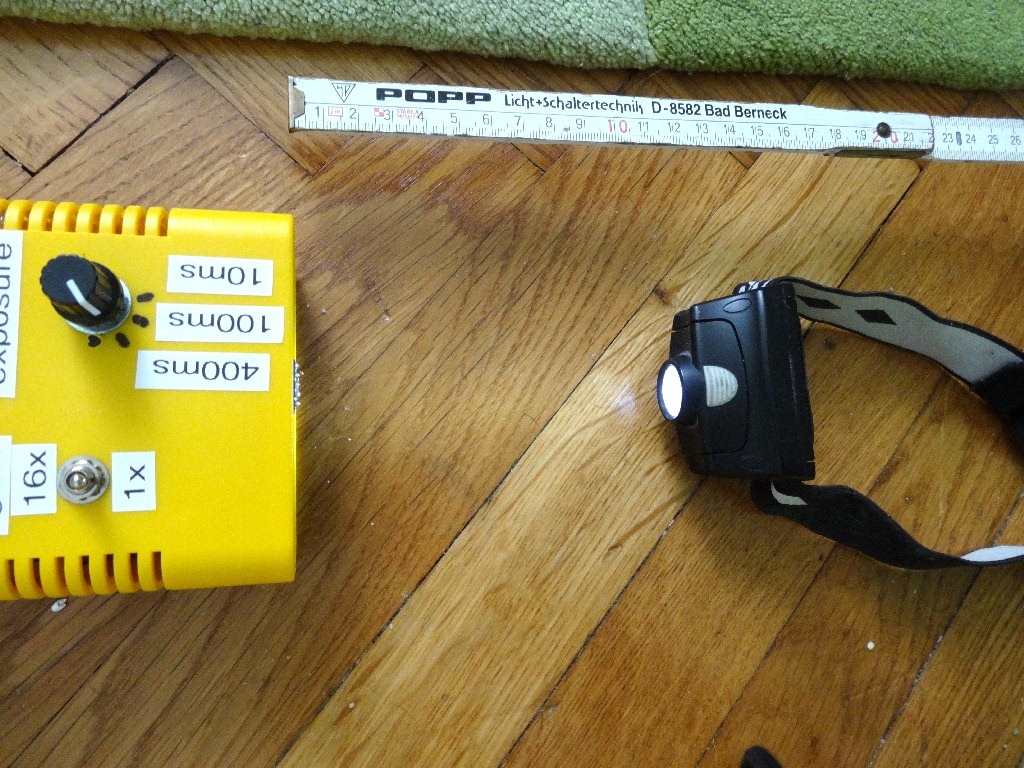
Und dann kann man noch den Einfluss der Verstärkung bzw. der Messzeit überprüfen. Sowohl die Verstärkung (1x/16x), als auch die Messdauer (10ms/100ms/400ms) spiegeln sich schön in den entsprechenden Helligkeitswerten wieder. Die Beleuchtungsstärke in Lux bleibt hingegen (weitestgehend) konstant.


Arduino-Code:
#include <LiquidCrystal_I2C.h>
#include <Wire.h>

LiquidCrystal_I2C lcd(0x27,16,2);  // set the LCD address to 0x27 for a 16 chars and 2 line display. ACHTUNG: Adresse kann auch 0x3F sein !!!

// Anschlüsse:
// GND - GND
// VCC - 5V
// SDA - ANALOG Pin 4
// SCL - ANALOG pin 5

#include <SparkFunTSL2561.h>
#include <Wire.h>

int gain_pin = 12;
boolean gain_alt, gain_neu;
int integration_alt, integration_neu;

// Create an SFE_TSL2561 object, here called "light":

SFE_TSL2561 light;

// Global variables:

boolean gain;              // Gain setting, 0 = x1, 1 = x16;
unsigned char time;        // integration time setting, 0: integration-time ms = 14 ms, 1: integration-time ms = 101 ms, 2:  integration-time ms = 402 ms
unsigned int ms;           // Integration ("shutter") time in milliseconds
double lux;                // Resulting lux value
boolean good;              // True if neither sensor is saturated
unsigned int full, IR;


// ===========================
// =======   SETUP   =========
// ===========================

void setup()
   {
    // Initialize the Serial port:

    Serial.begin(9600);

    lcd.begin();        // initialize the lcd
    lcd.backlight();
    lcd.setCursor(0,0);
    lcd.print("Luxmeter");

    delay(3000);

    lcd.setCursor(0,0);
    lcd.print("                ");

    Serial.println("TSL2561 example sketch");

    pinMode(gain_pin, INPUT);

    // Lese erstmalig den gain-pin ein
    // ===============================

    gain_alt = digitalRead(gain_pin);

    if(gain_alt == LOW)
       {
        gain = 0;

        Serial.print("gain = ");
        Serial.println(gain);
       }
    else
       {
        gain = 1;

        Serial.print("gain = ");
        Serial.println(gain);
       }

    // Lese erstmalig den rotary switch ein
    // ====================================

    integration_alt = analogRead(A0);

    if(integration_alt < 200)
       {
        time = 0;

        Serial.print("Drehschalterwert = ");
        Serial.println(integration_alt);
       }

    if(integration_alt > 400 && integration_alt < 600)
       {
        time = 1;

        Serial.print("Drehschalterwert = ");
        Serial.println(integration_alt);
       }

    if(integration_alt > 800)
       {
        time = 2;

        Serial.print("Drehschalterwert = ");
        Serial.println(integration_alt);
       }


    // Initialize the SFE_TSL2561 library

    // You can pass nothing to light.begin() for the default I2C address (0x39),
    // or use one of the following presets if you have changed
    // the ADDR jumper on the board:

    // TSL2561_ADDR_0 address with '0' shorted on board (0x29)
    // TSL2561_ADDR   default address (0x39)
    // TSL2561_ADDR_1 address with '1' shorted on board (0x49)

    light.begin();

    // Get factory ID from sensor:
    // (Just for fun, you don't need to do this to operate the sensor)

    unsigned char ID;

    if (light.getID(ID))
       {
        Serial.print("Got factory ID: 0X");
        Serial.print(ID,HEX);
        Serial.println(", should be 0X5X");
       }
    else
       {
        byte error = light.getError();
        printError(error);
       }

    // The light sensor has a default integration time of 402ms,
    // and a default gain of low (1X).

    // If you would like to change either of these, you can
    // do so using the setTiming() command.

    // If gain = false (0), device is set to low gain (1X)
    // If gain = high (1), device is set to high gain (16X)

    // gain = 0;

    // If time = 0, integration-time ms will be 14 ms
    // If time = 1, integration-time ms will be 101 ms
    // If time = 2, integration-time ms will be 402 ms
    // If time = 3, use manual start / stop to perform your own integration

    // time = 0;

    // setTiming() will set the third parameter (ms) to the
    // requested integration time in ms (this will be useful later):

    Serial.println("Set timing...");

    light.setTiming(gain,time,ms);

    Serial.print("ms = ");
    Serial.println(ms);

    // To start taking measurements, power up the sensor:

    Serial.println("Powerup...");
    light.setPowerUp();

    // The sensor will now gather light during the integration time.
    // After the specified time, you can retrieve the result from the sensor.
    // Once a measurement occurs, another integration period will start.
   }


// ===========================
// =======    LOOP   =========
// ===========================

void loop()
   {
    // Lese den gain-pin ein und nur bei Veränderung wird der gain-Wert geändert
    // =========================================================================

    gain_neu = digitalRead(gain_pin);

    if(gain_neu != gain_alt)
       {
        gain_alt = gain_neu;

        if(gain_neu == LOW)
           {
            gain = 0;

            Serial.print("gain = ");
            Serial.println(gain);
           }
        else
           {
            gain = 1;

            Serial.print("gain = ");
            Serial.println(gain);
           }

        light.setTiming(gain,time,ms);
       }

    // Lese den integration-pin ein und nur bei Veränderung wird der integration-Wert geändert
    // =======================================================================================

    integration_neu = analogRead(A0);

    //Serial.println(integration_neu);

    if(integration_neu > 1.05 * integration_alt or integration_neu < 0.95 * integration_alt)
       {
        integration_alt = integration_neu;

        if(integration_neu < 200)
           {
            time = 0;

            Serial.print("Drehschalterwert = ");
            Serial.println(integration_neu);
           }

        if(integration_neu > 400 && integration_neu < 600)
           {
            time = 1;

            Serial.print("Drehschalterwert = ");
            Serial.println(integration_neu);
           }

        if(integration_neu > 800)
           {
            time = 2;

            Serial.print("Drehschalterwert = ");
            Serial.println(integration_neu);
           }

        light.setTiming(gain,time,ms);
       }

    delay(300);

    // Wait between measurements before retrieving the result
    // (You can also configure the sensor to issue an interrupt
    // when measurements are complete)

    // This sketch uses the TSL2561's built-in integration timer.
    // You can also perform your own manual integration timing
    // by setting "time" to 3 (manual) in setTiming(),
    // then performing a manualStart() and a manualStop() as in the below
    // commented statements:

    // ms = 1000;
    // light.manualStart();
    // delay(ms);
    // light.manualStop();

    // Once integration is complete, we'll retrieve the data.

    // There are two light sensors on the device, one for visible light
    // and one for infrared. Both sensors are needed for lux calculations.

    // Retrieve the data from the device:

    if (light.getData(full,IR))
       {
        // getData() returned true, communication was successful

        Serial.print("full: ");
        Serial.print(full);
        Serial.print(" IR: ");
        Serial.print(IR);

        // To calculate lux, pass all your settings and readings
        // to the getLux() function.

        // The getLux() function will return 1 if the calculation
        // was successful, or 0 if one or both of the sensors was
        // saturated (too much light). If this happens, you can
        // reduce the integration time and/or gain.
        // For more information see the hookup guide at: https://learn.sparkfun.com/tutorials/getting-started-with-the-tsl2561-luminosity-sensor

        // Perform lux calculation:

        good = light.getLux(gain,ms,full,IR,lux);

        // Print out the results:

        Serial.print(" lux: ");
        Serial.print(lux);

        if (good) Serial.println(" (good)"); else Serial.println(" (BAD)");

        /*
        Serial.print("ms = ");
        Serial.println(ms);
        */

        lcd.setCursor(0,0);
        lcd.print("       ");
        lcd.setCursor(0,0);
        lcd.print(full);
        lcd.setCursor(7,0);
        lcd.print("IR:      ");
        lcd.setCursor(11,0);
        lcd.print(IR);
        lcd.setCursor(0,1);
        lcd.print("BS: ");
        lcd.print(lux, 1);
        lcd.print(" lux    ");

        delay(50);
       }
    else
       {
        // getData() returned false because of an I2C error, inform the user.

        byte error = light.getError();
        printError(error);
       }

    //delay(1000);
   }


void printError(byte error)     // If there's an I2C error, this function will print out an explanation.
   {
    Serial.print("I2C error: ");
    Serial.print(error,DEC);
    Serial.print(", ");

    switch(error)
       {
        case 0:
           Serial.println("success");
           break;
        case 1:
           Serial.println("data too long for transmit buffer");
           break;
        case 2:
           Serial.println("received NACK on address (disconnected?)");
           break;
        case 3:
           Serial.println("received NACK on data");
           break;
        case 4:
           Serial.println("other error");
           break;
        default:
           Serial.println("unknown error");
       }
   }